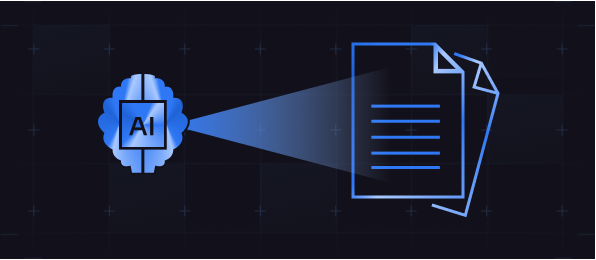
Core Use Cases or Benefits
Automate accounts payable by extracting key fields (vendor, date, line items, totals, etc.) from invoices or receipts and feeding them into your accounting or ERP system. This speeds up approval and payment cycles while ensuring accuracy in financial data.
Process forms, applications, and identification documents automatically. For example, IDP can pull information from a new customer’s application form or an employee’s HR onboarding packet (like name, address, ID numbers) and input it into your CRM or HR system without manual effort.
Quickly digitize and organize contracts, agreements, or compliance forms. An IDP solution can classify incoming documents (e.g., NDA, supplier contract, regulatory form) and extract pertinent details (parties, dates, key clauses) for easy search and retrieval. This not only saves legal teams time but also reduces the risk of missing critical obligations or expirations.
For hospitals, clinics, or insurance companies, IDP can handle paperwork such as claim forms, patient records, or lab reports. It can read handwriting or typed text, structure the data (patient info, billing codes, test results) and integrate it into electronic health record systems or claims processing workflows faster and more accurately than staff could.
Use IDP to triage incoming correspondence. For instance, imagine a utility company receiving thousands of forms and letters – IDP can scan and categorize each (billing inquiry, address change form, complaint, etc.), extract the required data, and even trigger the next steps (like creating a support ticket or updating an address in the database) automatically.
We specialize in developing secure and scalable APIs
Key Features or Technologies Used
- Advanced OCR Technology – At the core, we deploy state-of-the-art OCR to convert scanned documents, PDFs, or images into machine-readable text. This includes handling various formats – from typed forms to cursive handwriting – with high accuracy.
- AI & Machine Learning Models – Our IDP solutions incorporate machine learning algorithms trained on vast amounts of document data. Unlike traditional OCR, which just captures text, these AI models actually learn to recognize patterns and context – for example, knowing an invoice’s “Total Amount” even if it appears in different places or words on different vendor layouts. The system improves over time, becoming more accurate with each document processed.
- Natural Language Processing (NLP) – We use NLP techniques to interpret and contextualize information. This allows the system to, say, distinguish between a shipping address and a billing address in a purchase order, or to understand that “Feb 5, 2025” is a date field. NLP helps in validating extracted data (ensuring a field looks like an email, phone number, date, etc.) and in handling free-form text like comments or email bodies.
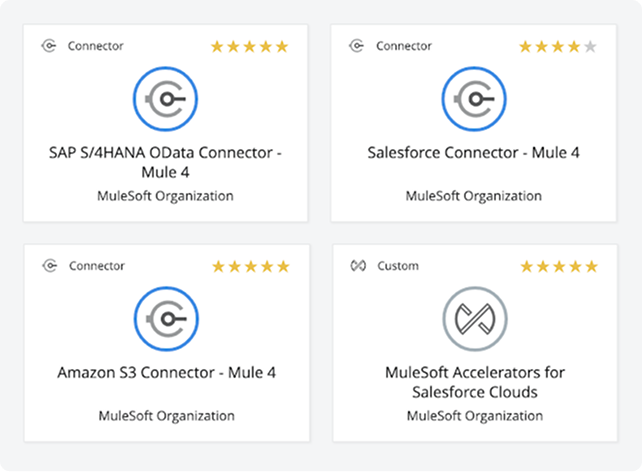
- Integration with Your Systems – A key aspect of SynergySoft’s IDP service is tying the document extraction into your existing workflows. We integrate the output with whatever systems you use – be it databases, ERP, CRM, content management, or RPA bots. For example, extracted invoice data can be automatically entered into your finance system or a ticketing system can be updated with info parsed from an email request. This end-to-end integration means no swivel-chair transfer of data; the whole process becomes digital.
- Validation and Exception Handling – Not all documents are perfect, so our solution includes robust validation rules and exception handling. Extracted data can be automatically checked against business rules (e.g., does the invoice total match the sum of line items? Is the purchase order number valid?). If something doesn’t match or the confidence in extraction is low, the system flags it for human review via an easy interface. This ensures you maintain accuracy and control – the AI handles the bulk of documents, and your staff only needs to handle the edge cases.
Business Impact or Value Delivered
- Supercharged Efficiency – By automating document processing, organizations dramatically reduce the time and effort required to handle forms and paperwork. Employees no longer spend hours locating, validating, and inputting data, allowing them to focus on higher-value work. What used to take days can now be done in minutes. For instance, processing a batch of invoices or loan applications can shift from being a daily grind to an automated background task.
- Higher Accuracy and Fewer Errors – Intelligent Document Processing yields far fewer errors than manual data entry. Machines don’t get tired or make typos – and with AI validation, they can even catch inconsistencies that a human might miss. Many companies see immediate and significant increases in data accuracy after implementing IDP. Fewer errors mean less rework, fewer customer issues due to incorrect data, and greater confidence in the information flowing through your business.
- Scalability to Handle Volume – As your document volumes grow, IDP scales effortlessly to meet the demand. Whether you’re dealing with hundreds or millions of documents, automated processing can handle large volumes quickly and accurately. You no longer need to proportionally increase headcount for back-office tasks when your business grows – the same digital workforce can ramp up to match the workload.
- Cost Savings – Replacing manual document handling with automation yields direct cost savings. You’ll spend far less on labor for data entry or correction, dramatically cutting the cost to process large volumes of documents. In addition, faster processing times can lead to financial benefits like capturing early payment discounts on invoices or avoiding compliance penalties by meeting documentation deadlines. Over time, IDP often pays for itself through these efficiencies.
- End-to-End Process Automation – IDP doesn’t just live in isolation – it often serves as a critical component of broader workflow automation. By feeding clean, structured data into downstream processes, it enables end-to-end automation of document-centric workflows. For example, an incoming customer request form can be scanned, data extracted and validated, then automatically routed (via BPM or RPA) to the right department for fulfillment, without any manual handoffs. This kind of straight-through processing elevates your company’s responsiveness and scalability in serving customers or internal needs.
Technologies we use



Seo block
Last year was rich in integrating different systems, including Workday, SAP, Oracle, DB2, Hybris, GCP, etc. It wasn’t a big issue or challenge in each particular case until we met Siebel CRM. Our experience with Siebel was different from that of other CRMs and unusually required our extra efforts. I’m sharing my practical knowledge about data migration from Siebel to save some hours or even days for others who may face the same challenge.
Last year was rich in integrating different systems, including Workday, SAP, Oracle, DB2, Hybris, GCP, etc. It wasn’t a big issue or challenge in each particular case until we met Siebel CRM. Our experience with Siebel was different from that of other CRMs and unusually required our extra efforts. I’m sharing my practical knowledge about data migration from Siebel to save some hours or even days for others who may face the same challenge.
Last year was rich in integrating different systems, including Workday, SAP, Oracle, DB2, Hybris, GCP, etc. It wasn’t a big issue or challenge in each particular case until we met Siebel CRM. Our experience with Siebel was different from that of other CRMs and unusually required our extra efforts. I’m sharing my practical knowledge about data migration from Siebel to save some hours or even days for others who may face the same challenge.